Stedding Browser
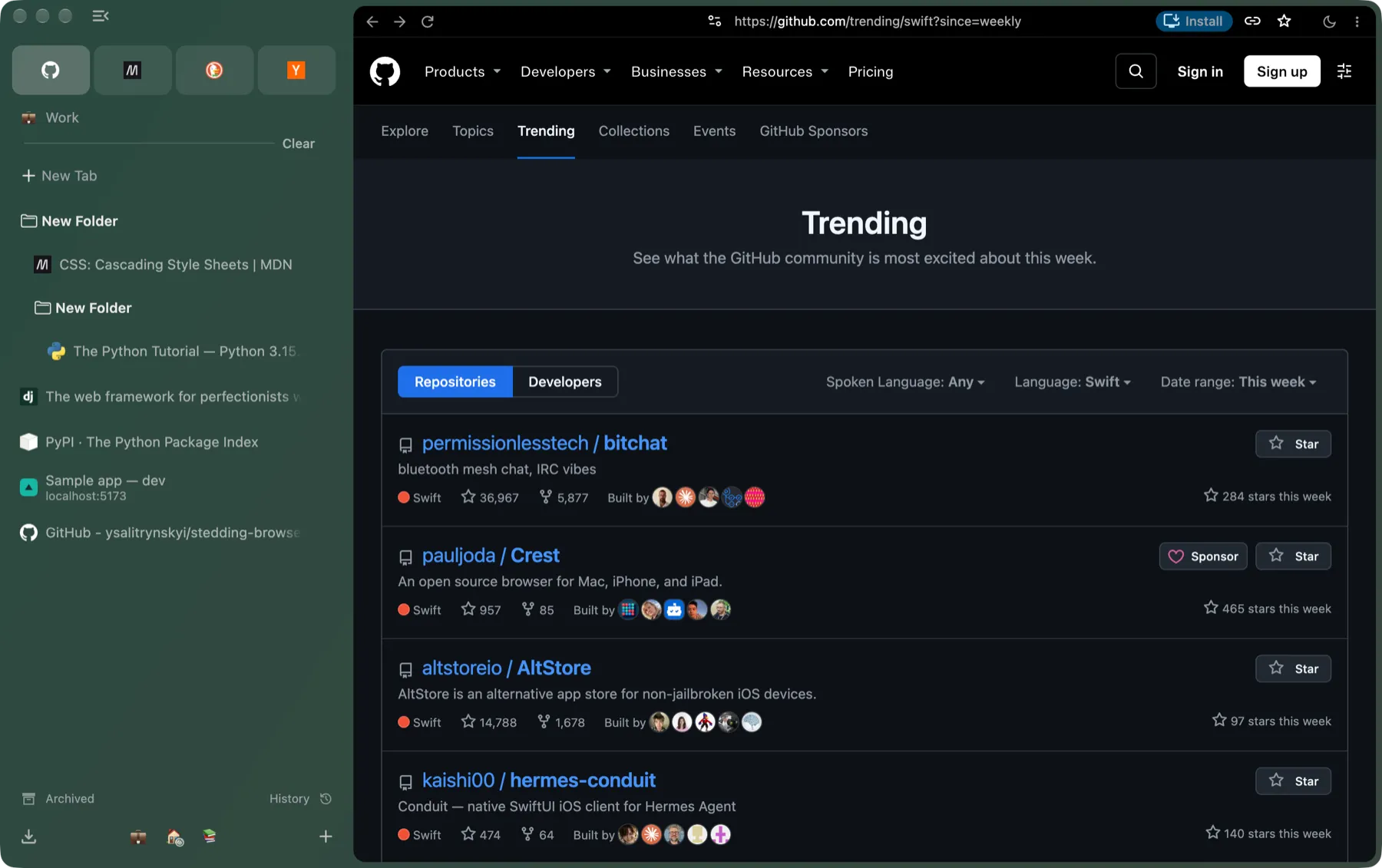
An open-source, Arc-style browser built on Chromium. A sidebar with vertical tabs, Spaces that can keep their own sign-ins, folders and pinned tabs, a command bar, sidebar sync with no account, and one-click import from Arc. macOS and Windows. No telemetry.
An open-source alternative to Arc
Stedding is a desktop browser for people who liked the way Arc worked: tabs live in a sidebar, each project gets its own Space, the important sites are pinned and always where you left them, and Command T is one place to search, open a site or jump to any tab. Arc stopped getting new features in 2025; Stedding rebuilds that way of working on ground you control.
-
Open source, all of it.
The browser, its interface and the build are BSD-3-Clause. No account, no company roadmap, nothing that can be taken away.
-
Built on Chromium stable.
A small, documented patch series, so it follows Chromium’s security releases and runs the extensions you already use.
-
Private by default.
No telemetry, no experiments, no Google sign-in or AI surfaces; third-party cookies blocked; the search engine of your choice.
The tour
-
Spaces
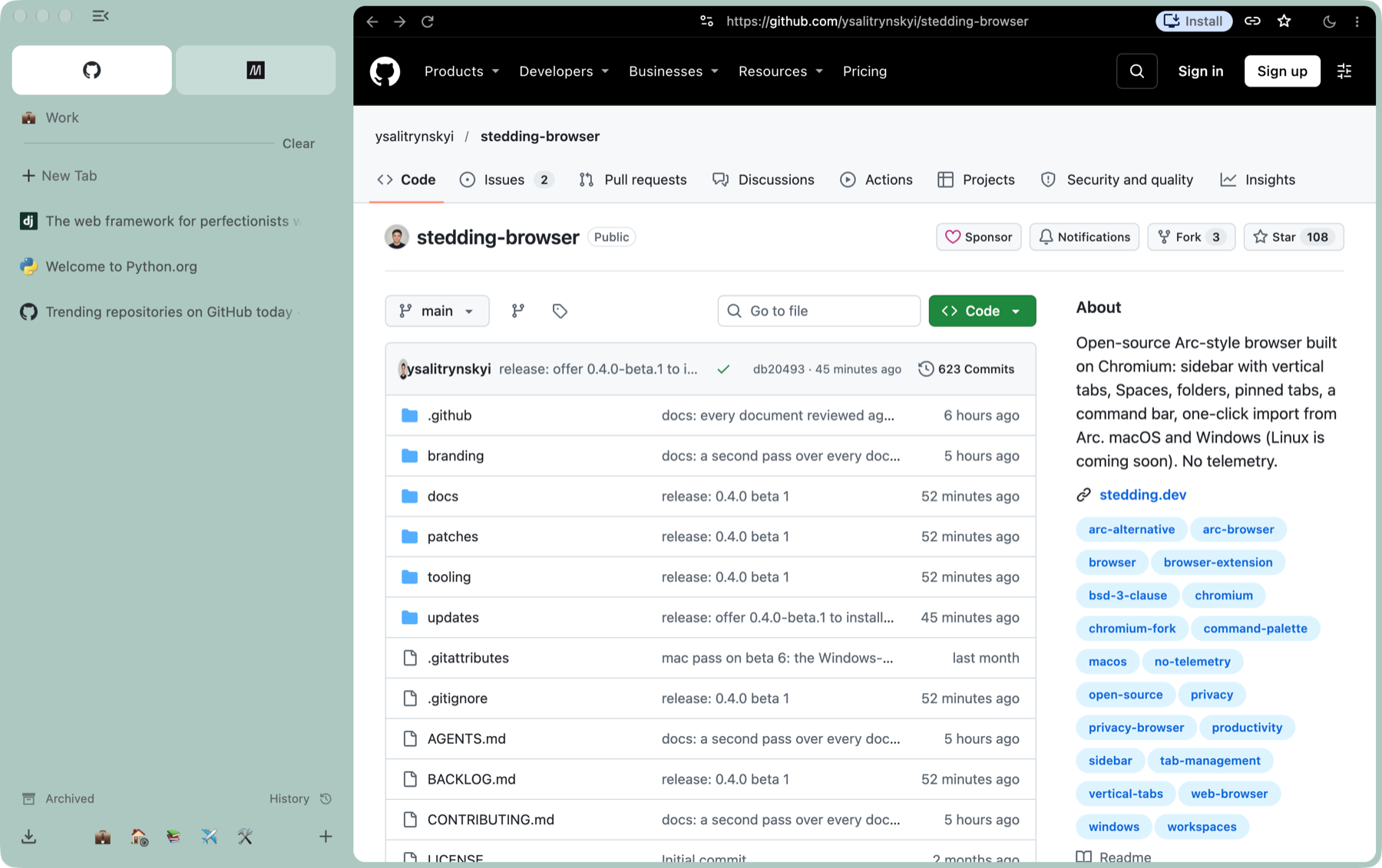
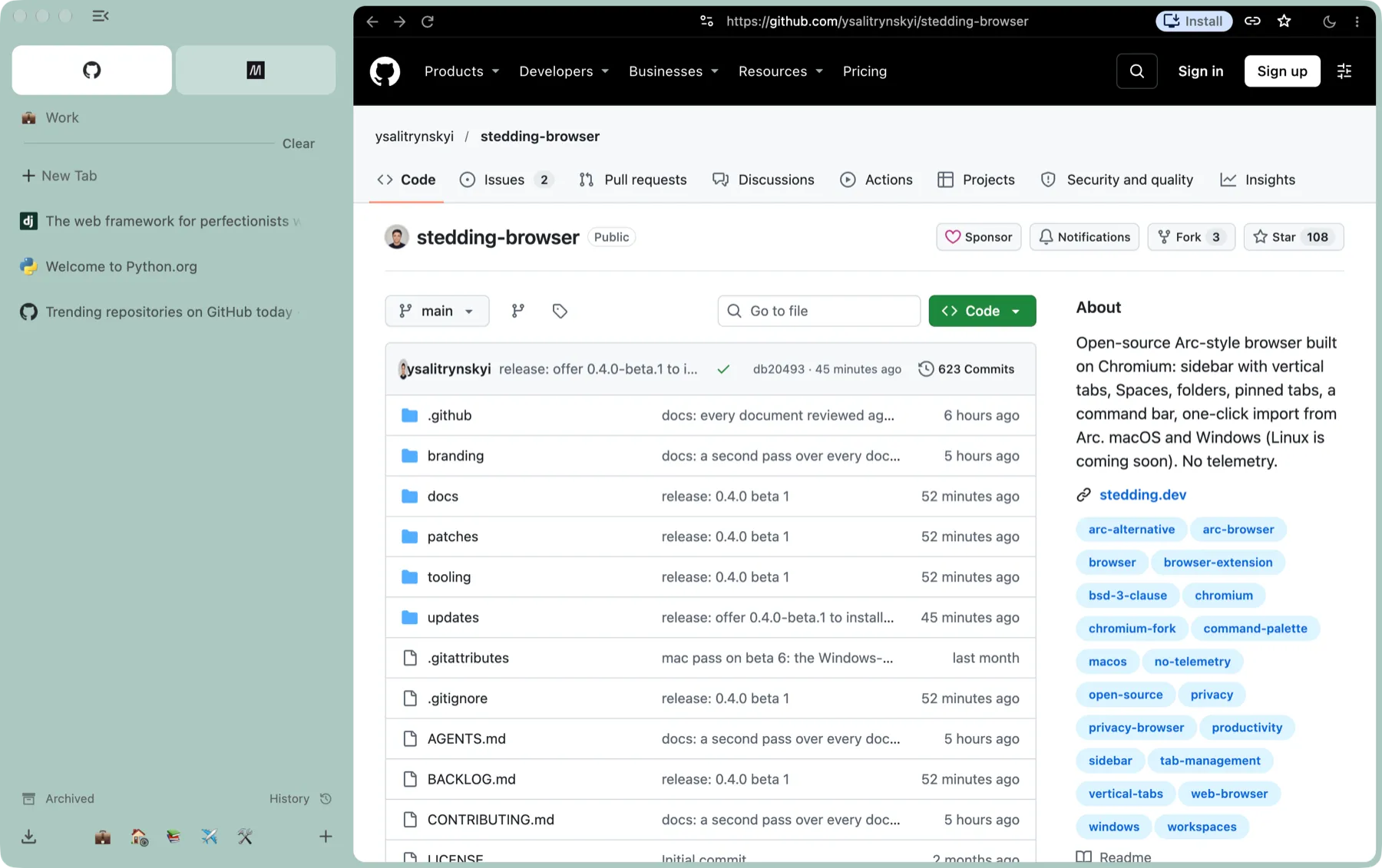
Each Space is a set of tabs with its own colour, icon and pinned sites. Switch with the chips at the bottom of the sidebar, with Control 1 to Control 9, or, on a Mac, by swiping across the sidebar. Drag a tab onto another Space’s chip and hold it there: the Space opens, and you drop the tab where you want it.
-
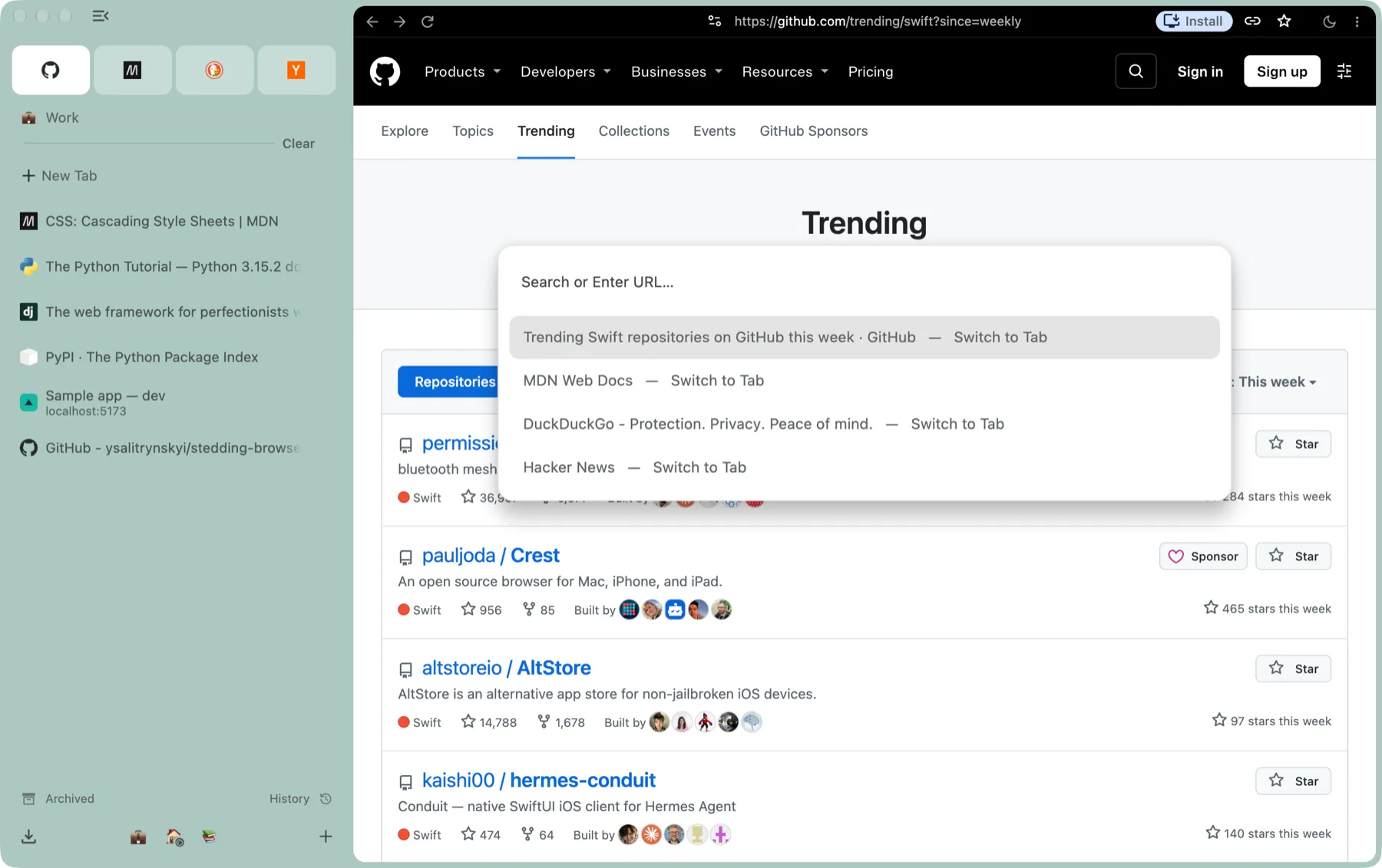
The command bar
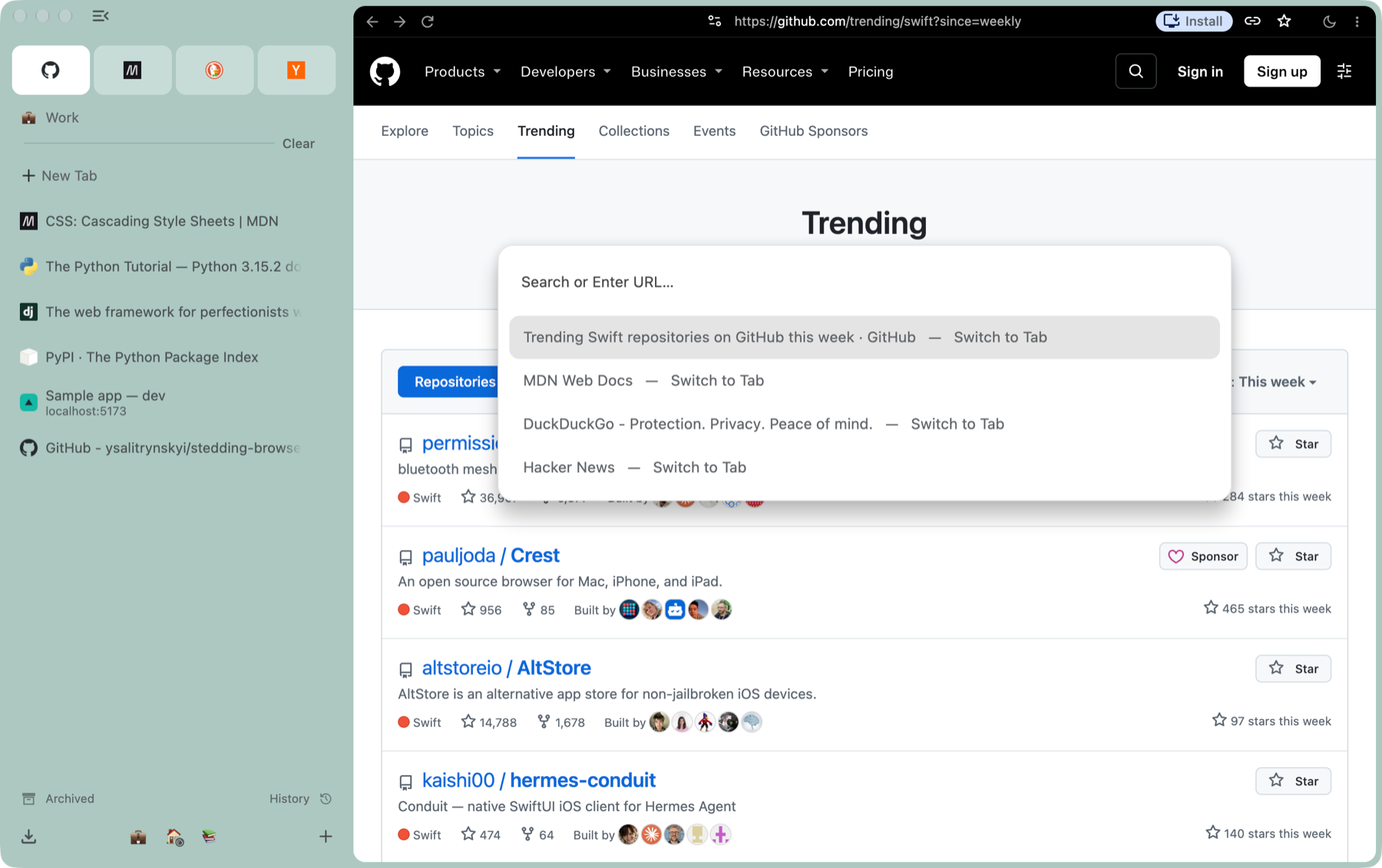
Command T opens one bar for everything: a URL, a search, or the name of any open or archived tab in any Space. Type > (or Shift Command P) for every command with its shortcut.
-
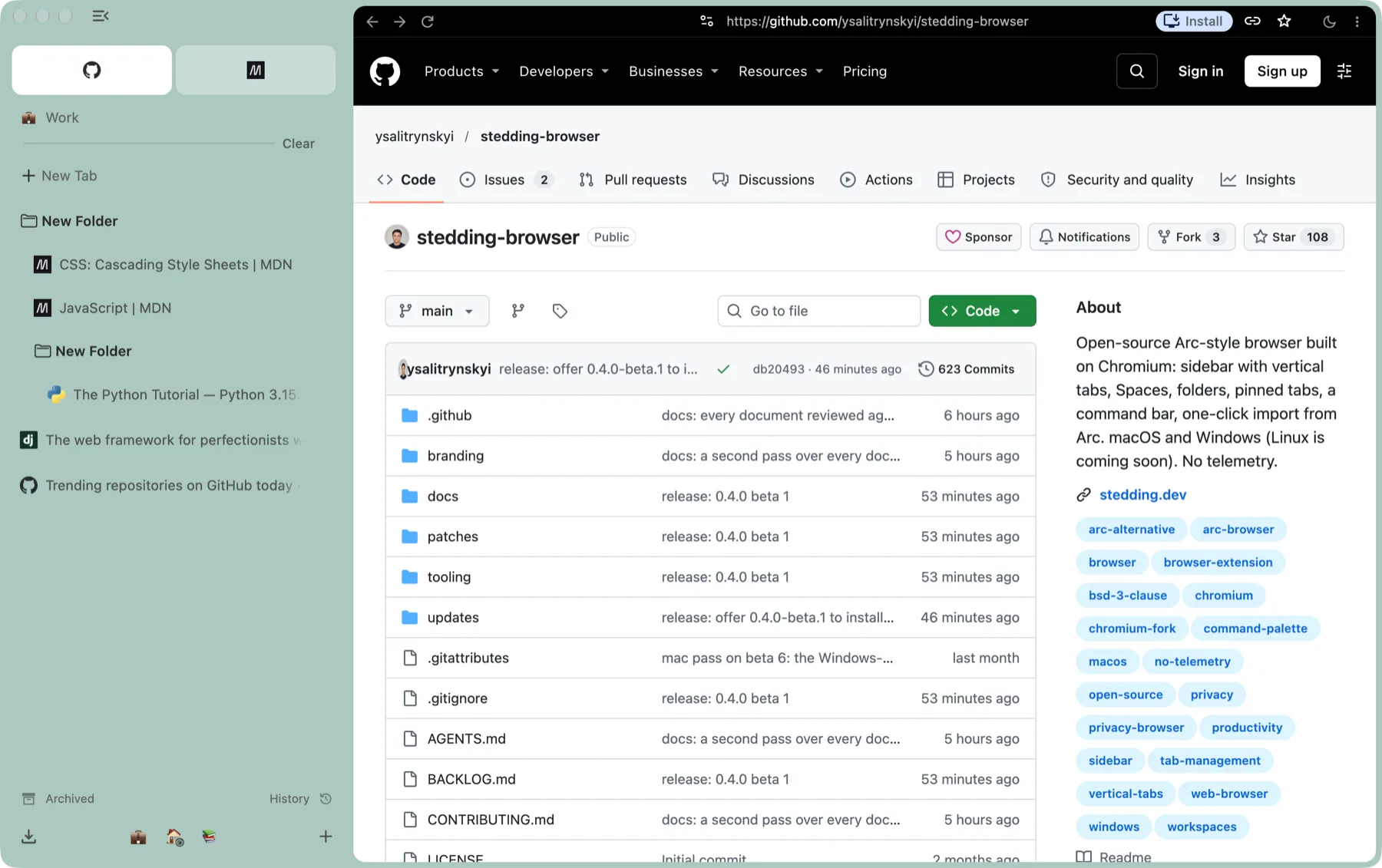
Folders and pinned tabs
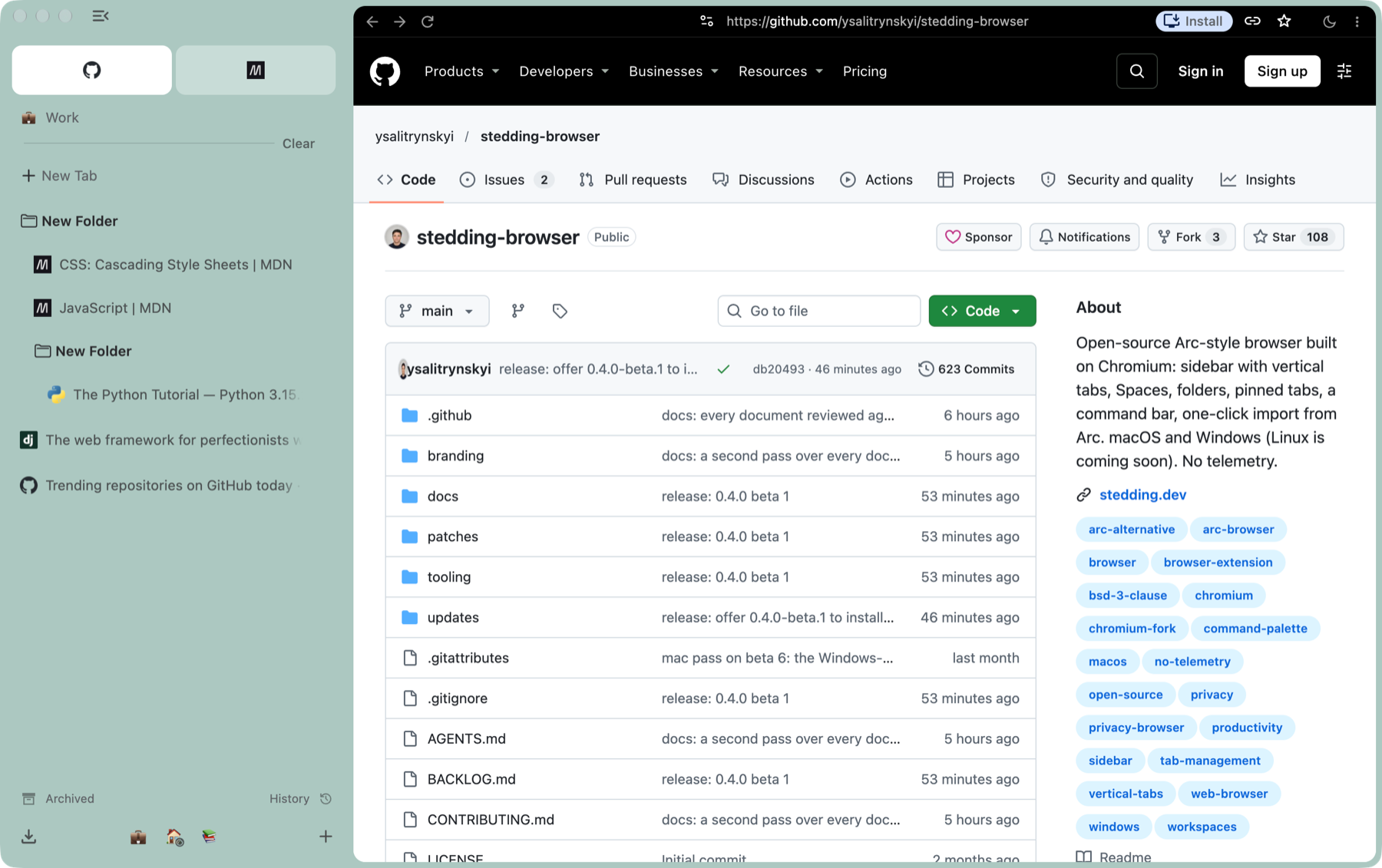
Nest folders, drag one into another, collapse them, rename anything in place. A pinned tab remembers its home page: wander away and a slash shows it; Option -click the favicon, or choose Reset to Pinned Page, and you are back.
-
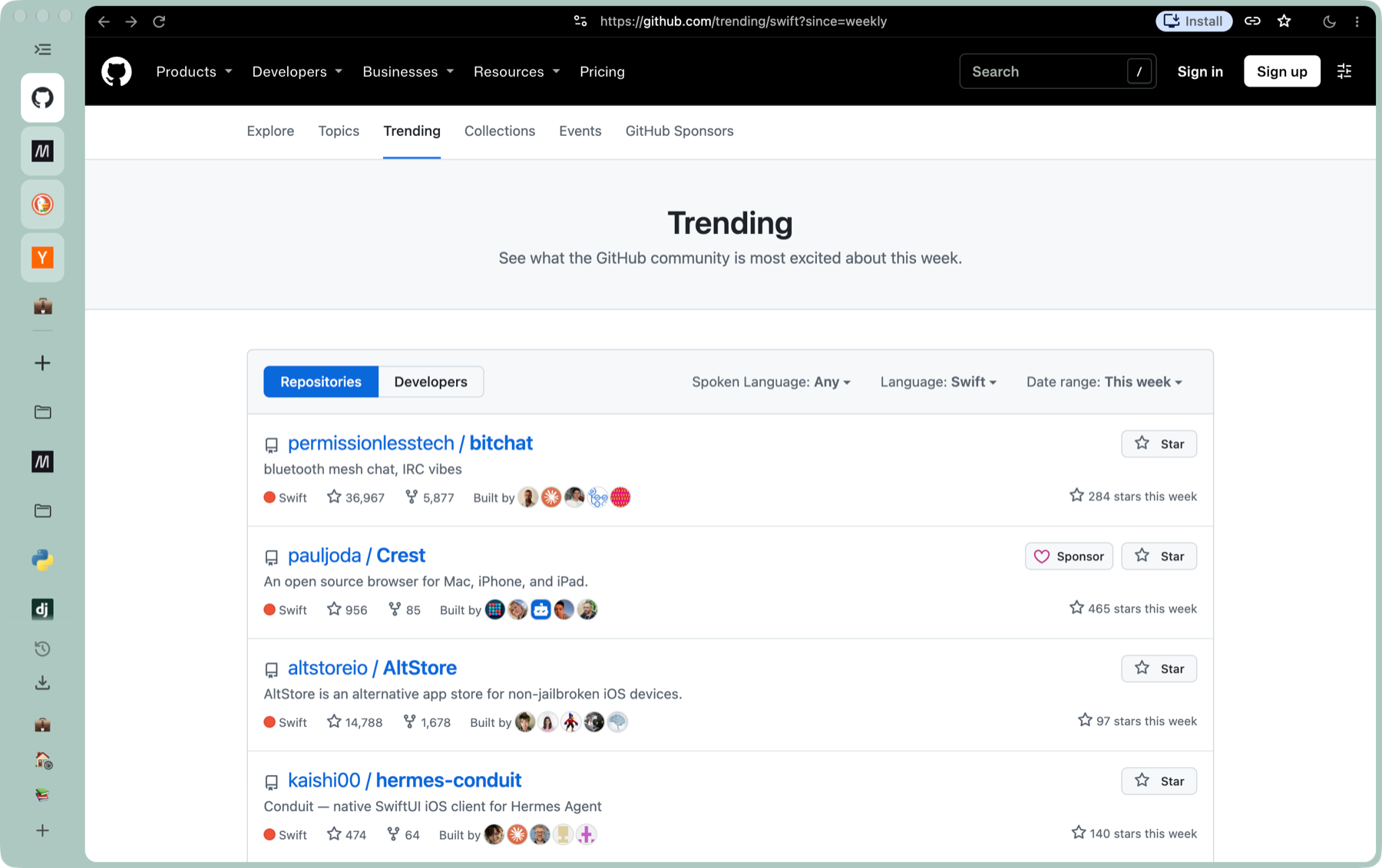
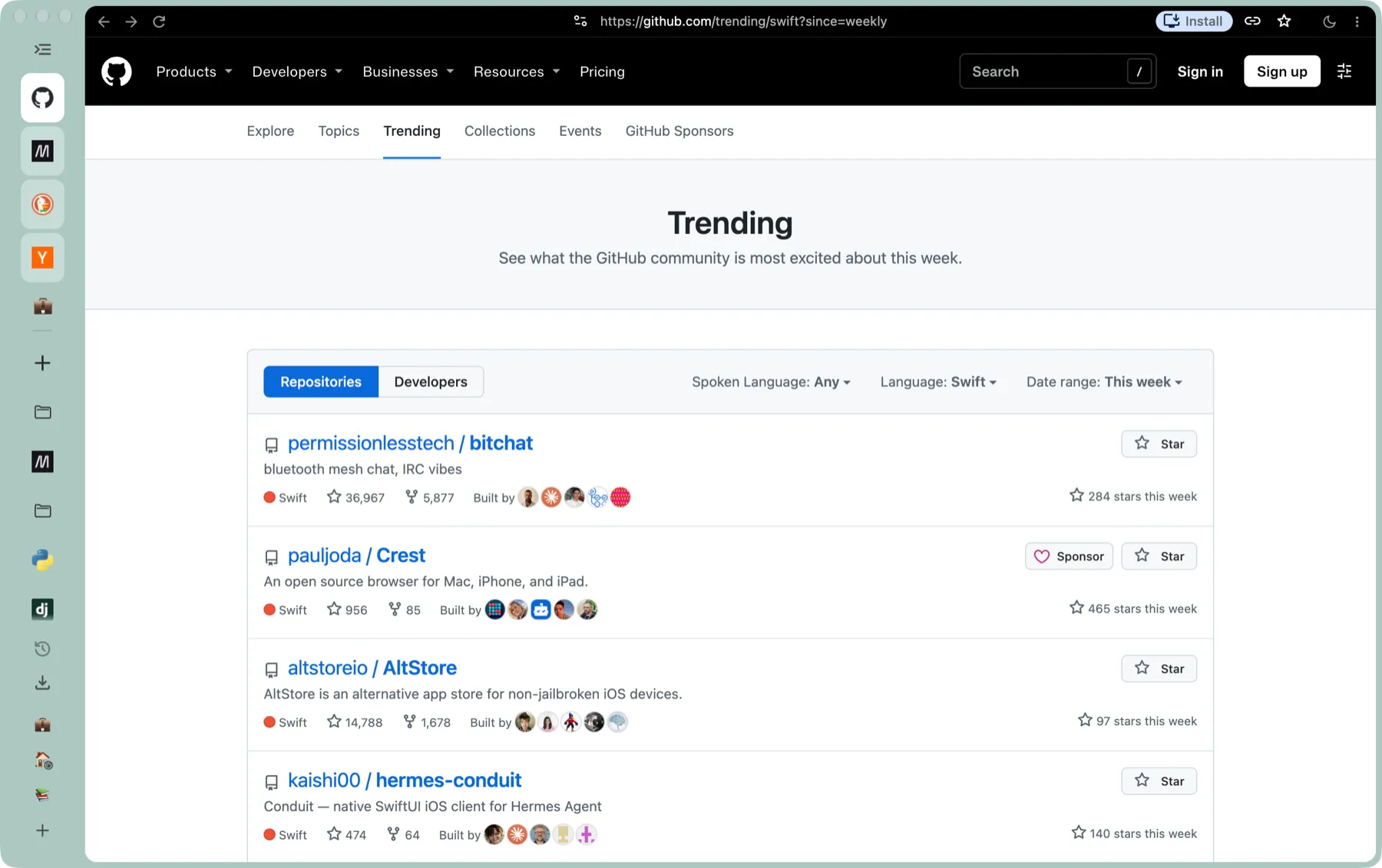
The rail, or nothing at all
Command S collapses the sidebar to a column of icons; hover to peek at it. Or set it to hide completely: the page then takes the whole window, edge to edge, and the pointer at the window’s edge on the sidebar’s side slides the sidebar back over it. The address row stays; a setting hides it with the sidebar, and Shift Command D shows or hides it on its own.
-
Split view
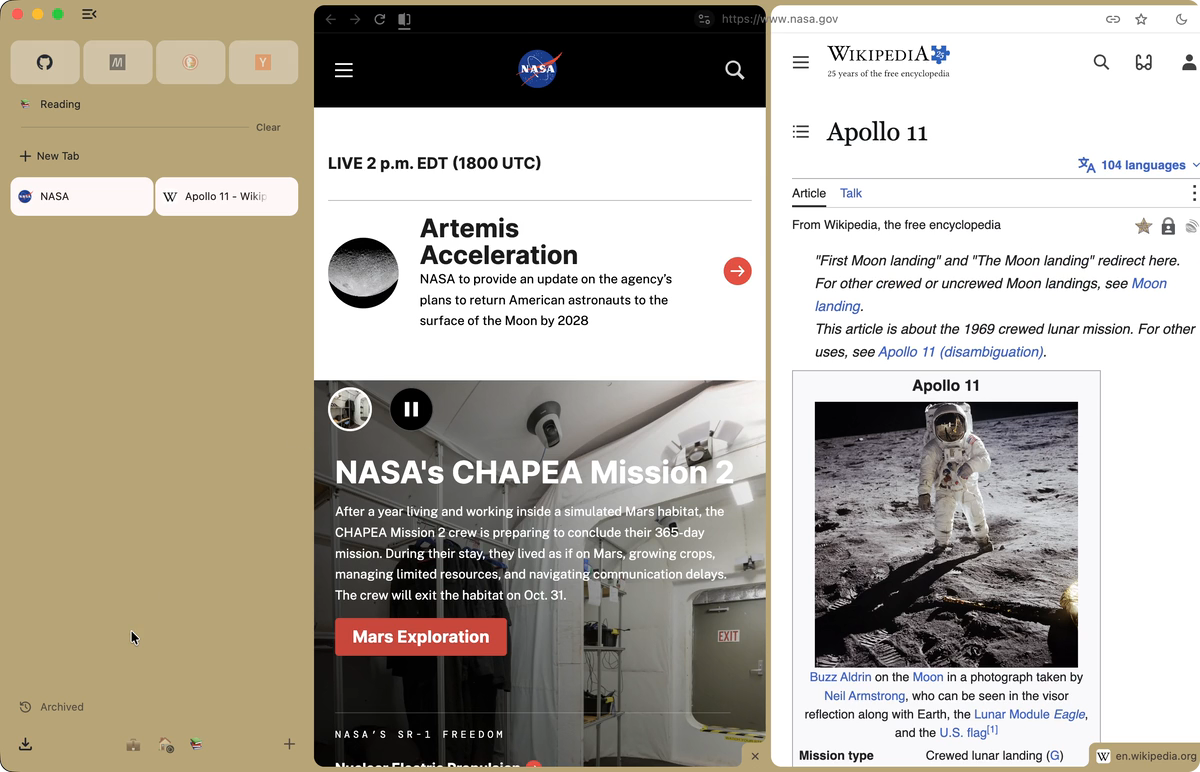
Drag a tab from the sidebar onto the page: the half it will take lights up, the two pages share the window, and the address row takes each page’s colour up to that page’s edge, with the window’s ground in the gap. Control Command N splits the tab with a new one.
-
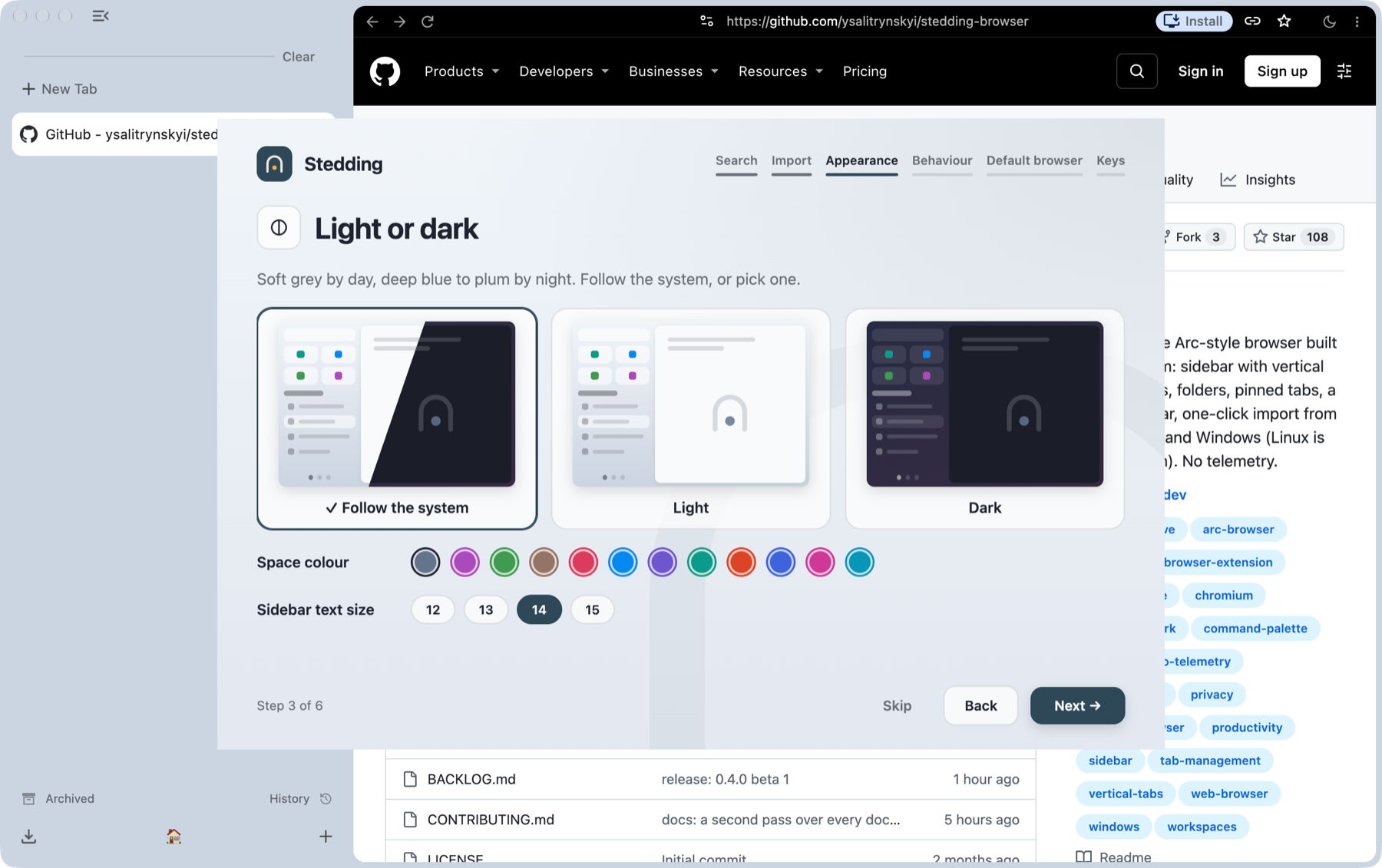
Light and dark
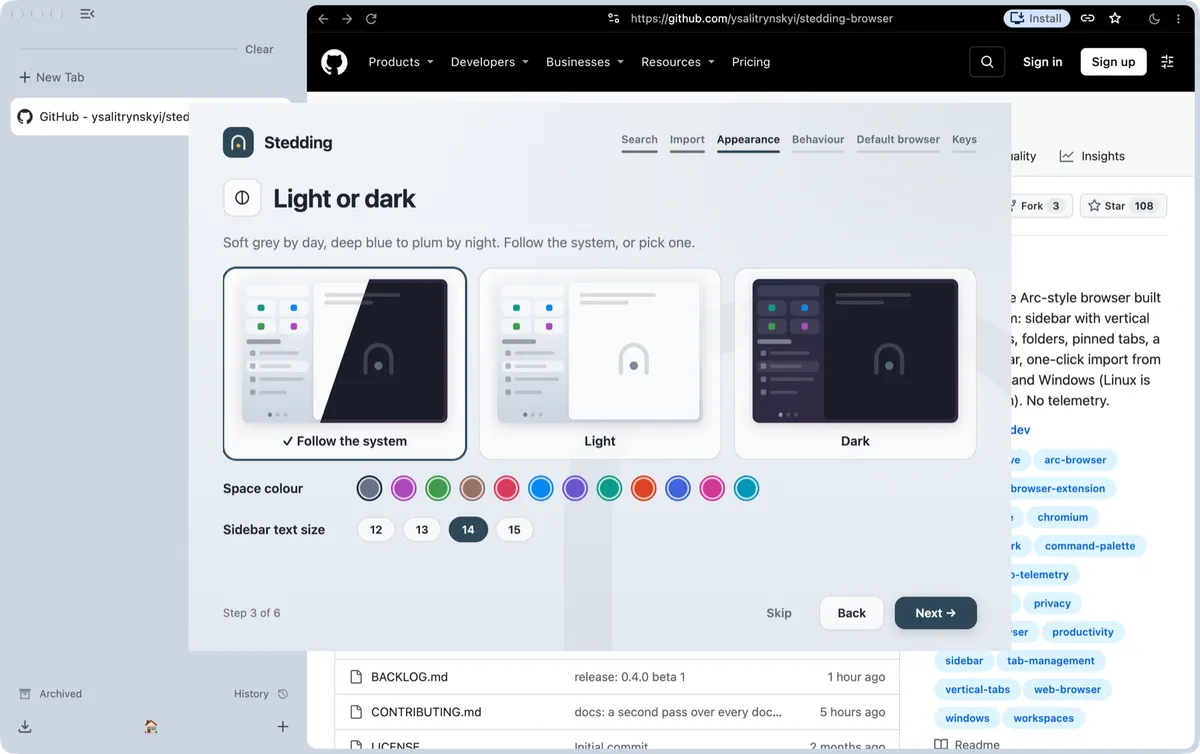
Soft grey by day, a blue-to-plum gradient by night, following the system or your choice; each Space’s colour tints the sidebar.
-
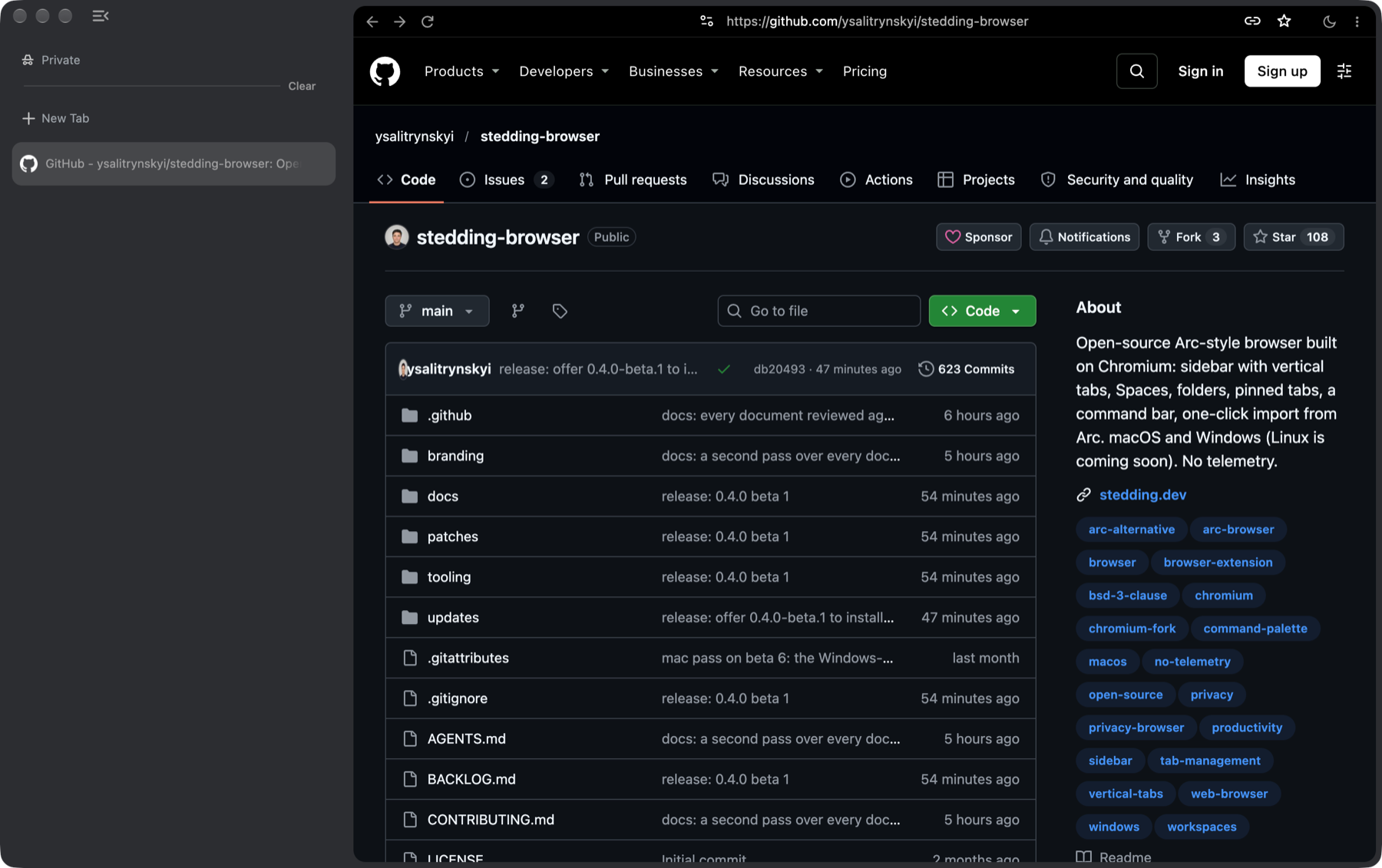
Private windows
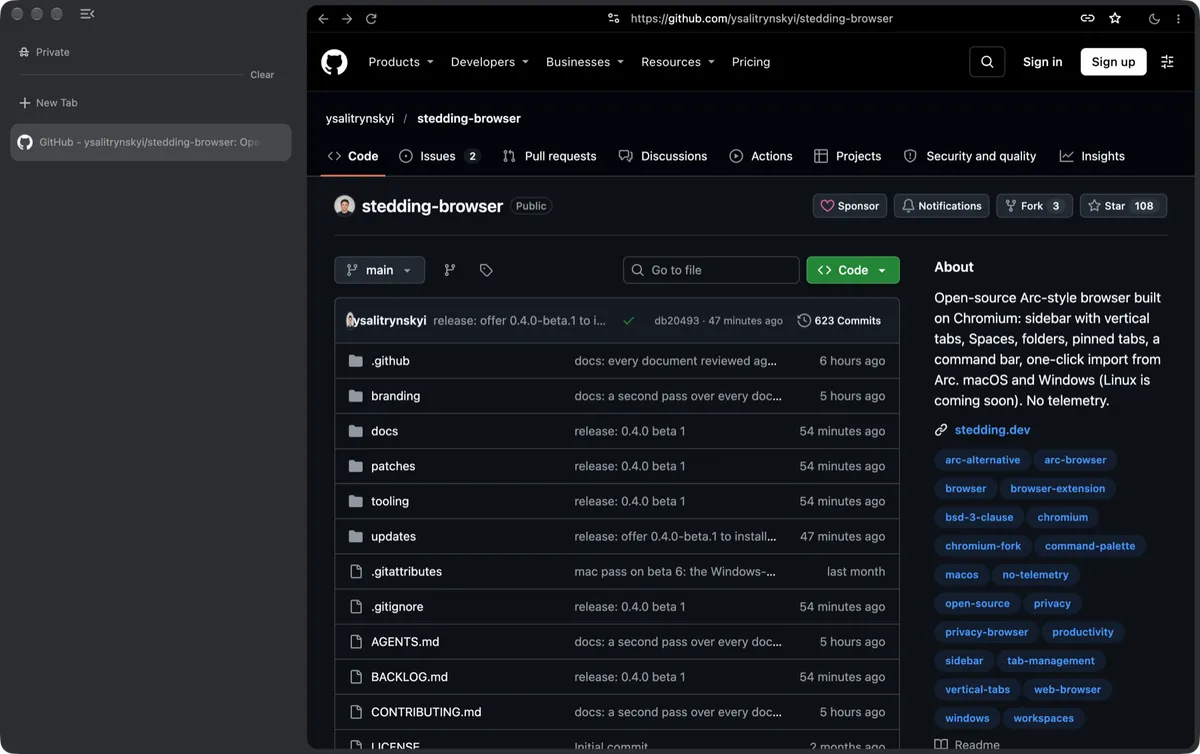
A private window wears a different coat, so you always know where you are.
-
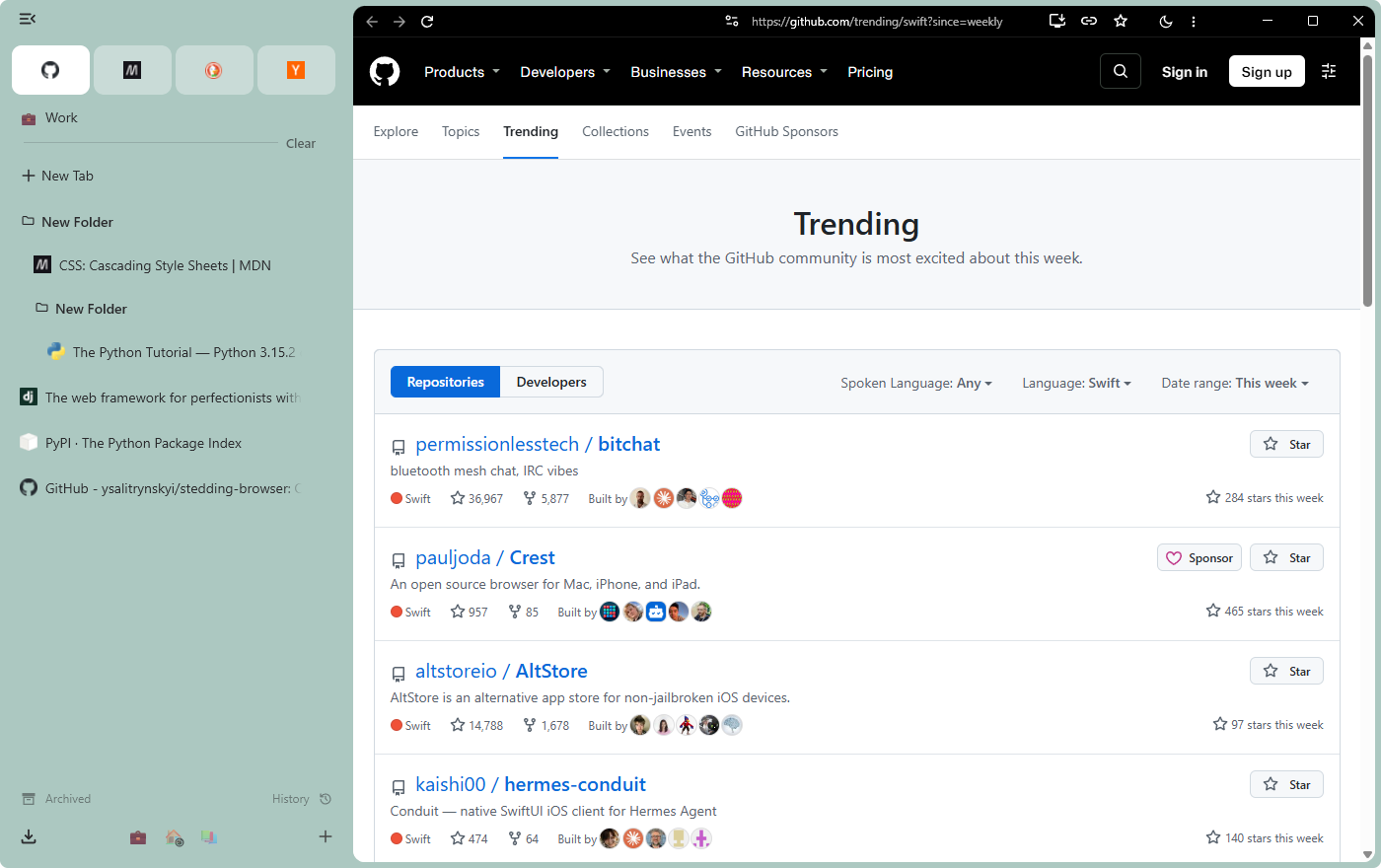
Windows
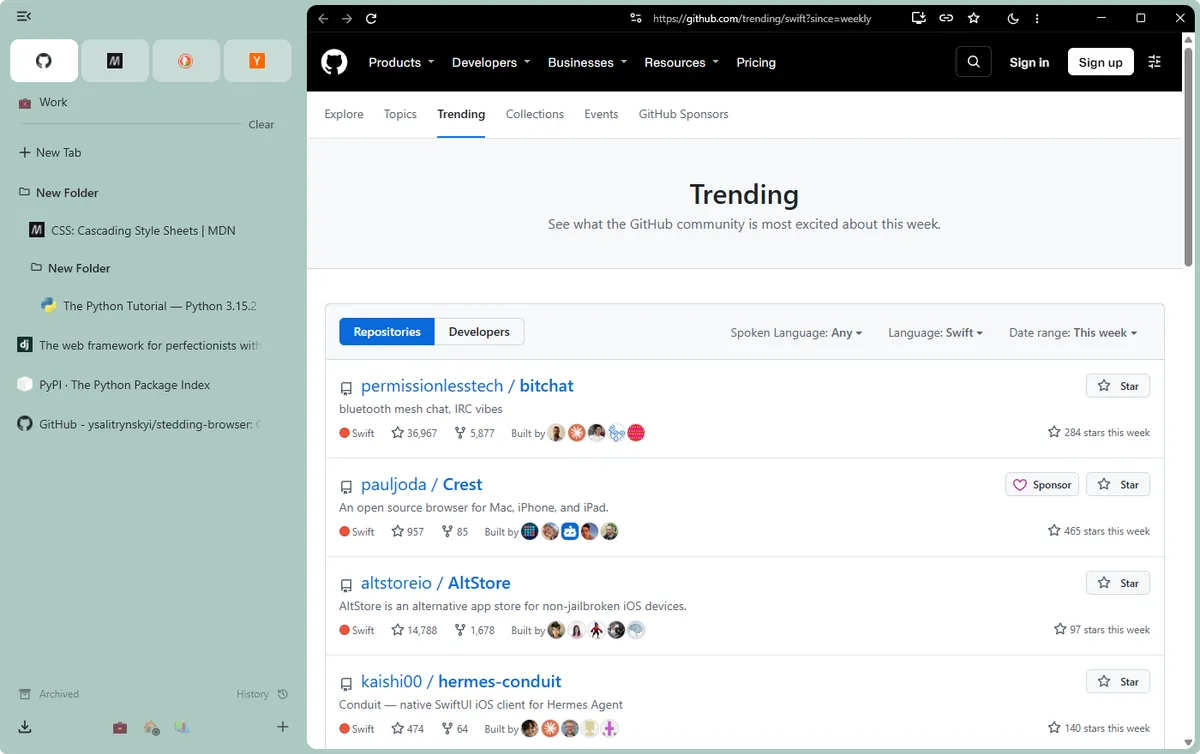
The same browser on Windows, the window’s own buttons at the end of the address row and Arc’s keyboard mapped to Ctrl and Alt.
The rest of what you know from Arc
- Sites routed to their Space. From a tab’s menu, a site can always open in the Space you choose, wherever the link to it came from.
- Little windows. A link from another app opens small, without the sidebar; Command O (Ctrl+O on Windows) moves it into your window.
- Sleeping tabs and the archive. At launch only the tab you were on loads. Tabs can sleep after a time you choose, and idle tabs that are not pinned, and not in a folder, can move to the archive; both are off until you choose.
- Local development tabs. A tab on your own machine’s server wears Arc’s dashed tape while it is on screen and, at the roomier row size, its host and port.
What Arc never had
-
Open source, with no account.
Stedding is BSD-licensed and asks you to sign up for nothing: download it and use it. Arc requires an account, and its code is closed.
-
Spaces with their own sign-ins, in one profile.
Give a Space an Independent session and it keeps its own cookies and site data, so one site can be signed in as work in one Space and as you in another, and the essentials you add there are that Space’s own; extensions, settings, history and saved passwords stay shared. One setting gives every new Space its own session, if you keep them all apart. Arc keeps sign-ins apart only by giving a Space a whole separate profile.
-
Dark pages.
One switch turns every website dark from its first frame, with no white flash: the moon by the address row, or Option Shift Command D. Keep some sites light, or darken only the ones you list.
-
Apps from any page.
Add to Dock on the Mac, Install page as app on Windows: the page gets a window and an icon of its own, and stays signed in as the Space it was made in. Arc does not install web apps.
-
Your sidebar on every computer, with no server.
Pick a folder that syncs, such as iCloud Drive, OneDrive, Dropbox or a network share, and each Stedding keeps its Spaces, pins and folders there, on a Mac and on Windows alike. Nothing goes through a Stedding account or server: there is none.
-
Links without trackers, and blocking if you want it.
utm_and similar parameters come off the links you open, and Shift Command C copies a link without them. Ad and tracker blocking is built in, from the EasyList and EasyPrivacy lists, and off until you turn it on. -
Site cleanup in one step.
Clear Site Cookies and Reload ( Option Shift Command R) signs you out of the site in front of you and nothing else; Close Duplicate Tabs is one command away.
Each feature has a specification in the repository, naming the test behind every behaviour.
Everything from Arc, in one click
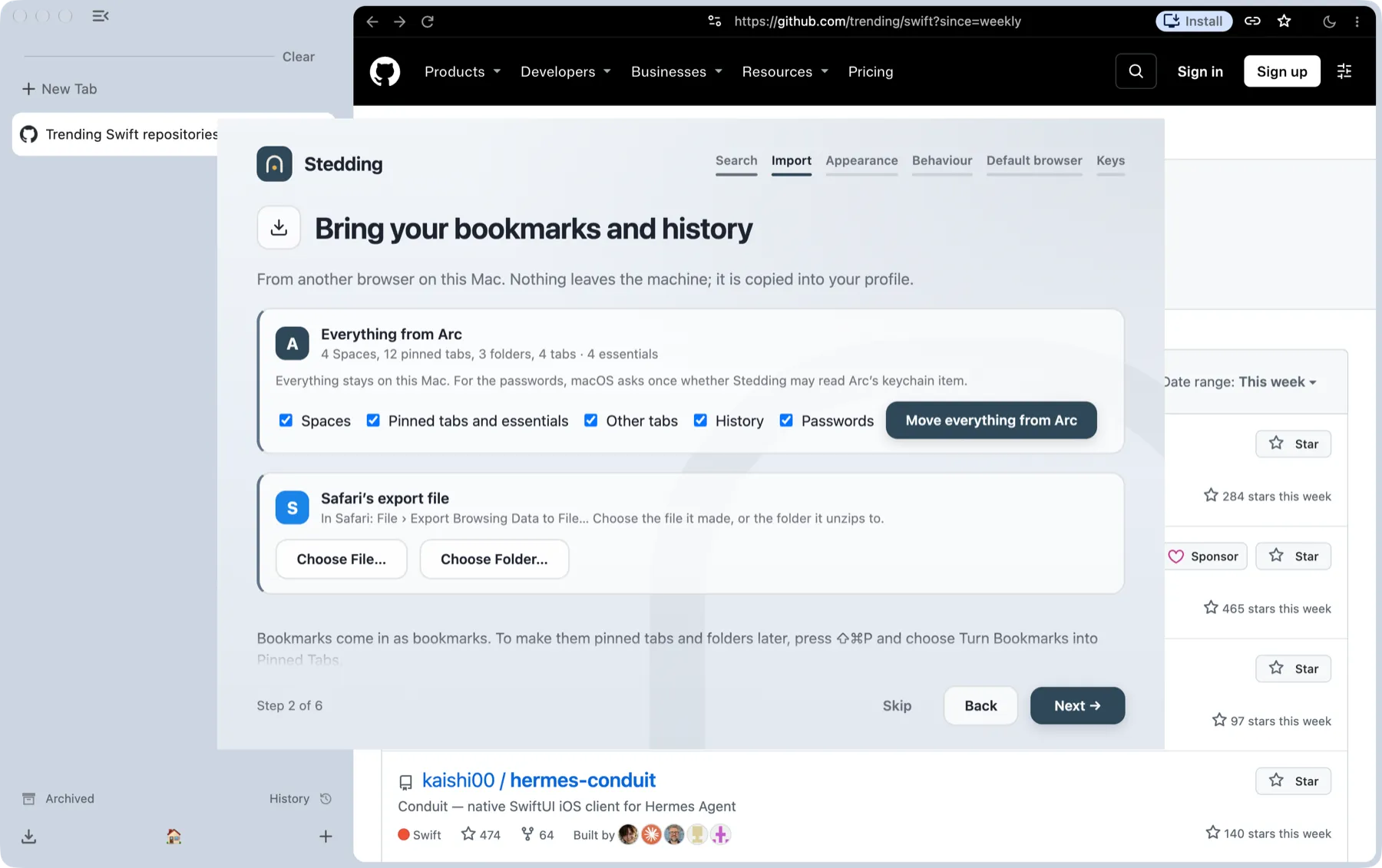
The first start offers “Move everything from Arc”, on a Mac and on Windows: your Spaces with their colours and icons, the essentials row, pinned tabs, folders, open tabs, history and saved passwords, from Arc’s own files on your disk.
Nothing leaves your machine. On a Mac, passwords need one keychain prompt; on Windows, none. Run it again later from Settings; nothing is duplicated.
Arc shuts down on December 22, 2026. Moving from Arc has what comes over, how, and how Arc’s features map to Stedding’s.
Coming from Safari, Dia or Firefox: the same step brings them in too.
Safari’s export file and Dia’s profile come in with their bookmarks, history and passwords, Firefox through Chromium’s own importer. Bookmarks arrive as bookmarks, and the command bar’s Turn Bookmarks into Pinned Tabs makes them pins and folders. Chrome, Brave and the new Edge cannot be imported yet.
Privacy is a set of defaults
- No telemetry, no crash reports, no experiments, no identifiers. The new tab page is local and makes no requests.
- No Google account surfaces. No sign-in, no Google services in the address bar, no AI sections in Settings. You pick the search engine at first start (DuckDuckGo until you do); search suggestions off until you turn them on.
- Protective defaults on. Third-party cookies blocked, HTTPS-first, Global Privacy Control, quiet permission prompts, Chromium’s ad-measurement APIs off.
The privacy document lists every network connection the browser makes, with what each one carries, and records what a fresh profile actually contacted. Anything not on the list is a bug.
Keyboard first
The keys worth knowing, on macOS and Windows. The full list is in the repository, and inside the browser at Settings → Stedding → Shortcuts.
| Action | macOS | Windows |
|---|---|---|
| Command bar: search, a URL, any tab | Command T | Ctrl+T |
| Every command, with its key | Shift Command P | Ctrl+Shift+P |
| Fold or show the sidebar | Command S | Ctrl+S |
| Pin the tab in its Space, or unpin it | Command D | Ctrl+D |
| Jump to a Space | Control 1 to 9 | Alt+1 to 9 |
| Next Space | Option Command Right arrow | Ctrl+Alt+ Right arrow |
| Most recent tab in the Space | Control Tab | Ctrl+Tab |
| Clear the Space’s loose tabs | Shift Command K | Ctrl+Shift+K |
| Split the tab with a new one | Control Command N | Alt+Shift+N |
| Dark pages on or off | Option Shift Command D | Ctrl+Alt+Shift+D |
| Copy the link, clean | Shift Command C | Ctrl+Shift+C |
| Screenshot the page | Shift Command 2 | Ctrl+Shift+2 |
Everything in Stedding
The complete list, on macOS and on Windows. Many of these are one switch in Settings → Stedding.
Sidebar and tabs
- Vertical tabs, on the left or the right
- Essentials and pinned tabs that remember their page
- Nested folders, among the pins too
- A rail of icons, or nothing at all, with Command S
- History and Downloads in the sidebar
- Tabs under the tab that opened them
Spaces
- A colour and an icon for each
- Switch with the chips, Control 1 to Control 9, a swipe or the wheel
- A Space with its own cookies and sign-ins, when you choose
- Sites routed to their Space
- Spaces and tabs that sleep, when you choose
Getting around
- The command bar, Command T: a URL, a search, any tab
- Every command with its key, Shift Command P
- Split view, by drag
- Peek: a pinned tab’s links open over the window
- Little windows for links from other apps
- An archive for idle tabs
Pages
- The address row in each page’s colour
- Dark pages, every website at once, Option Shift Command D
- Apps from any page
- Links copied clean, Shift Command C, or as Markdown, Option Shift Command C
- Screenshots, mute and picture in picture by key
- Local development tabs marked
Privacy
- No telemetry, no account, no AI
- Ad and tracker blocking, off until you turn it on
- Tracking stripped from the links you open
- Third-party cookies blocked, HTTPS first, Global Privacy Control
- One site’s cookies cleared and reloaded, Option Shift Command R
Sync, import and updates
- Private sidebar sync through your own cloud folder, with no account
- Spaces exported and imported as a file
- Arc in one click, on a Mac and on Windows
- Safari’s export, Dia and Firefox in the same step
- Signed updates, with a switch to turn them off
Download
Stedding 0.4.0 beta 5 — Chromium 157. Published .
macOS
Apple silicon (M1 or later), macOS 13 or later
- File
Stedding-0.4.0-beta.5-arm64.dmg- SHA-256
-
47daef429a8b2ef4c7a5695f86b0635235b00c026163ee6f5a478f11ab3f415f
Open the DMG and drag Stedding to Applications. It is signed with the project’s Developer ID and notarized by Apple, so it opens like any other app.
Check the download:
shasum -a 256 ~/Downloads/Stedding-0.4.0-beta.5-arm64.dmg
Windows
Windows 10 or 11, x64
- File
Stedding-0.4.0-beta.5-win-x64.exe- SHA-256
-
e9ed84ef950460bcce62322349845c281927479d2155212dd50d9d5f84068ab8
Installs for the current user, with no administrator prompt, over an earlier version if there is one; Stedding may stay open, and the new version takes over at its next start. If SmartScreen appears: More info → Run anyway, once.
Check the download:
certutil -hashfile Stedding-0.4.0-beta.5-win-x64.exe SHA256
The macOS image is signed and notarized. The Windows installer is not code-signed yet, which is why SmartScreen asks once. Once installed, Stedding updates itself: it looks for a new version on GitHub when it opens and every six hours, and Settings → Stedding → Updates turns that off. A Mac copy older than 0.2.0 beta 16, or a Windows copy older than 0.2.0 beta 19, needs one install by hand.
On a Mac, Homebrew installs it too. Click the command to select it:
brew install --cask ysalitrynskyi/stedding/stedding
Intel Macs and Linux: not yet. Release notes · All releases · Install guide
Status
An early beta, fixed release by release. What each release changed is in its notes.
Known limits: the Windows installer is not signed yet. Safe Browsing is not active yet: its lists need a Google API key the builds do not carry. Netflix, Disney+ and Spotify need Widevine, which comes once Google licenses it.
Next: on Windows, code signing; then Linux.
Alongside them: the mini player in the sidebar, and a second press of a shortcut a web app also uses reaching the browser. Not planned, by choice: an account (Spaces sync through a folder your own sync app keeps, or move as a file), a bundled AI model, and a phone app. The full list of open work is in the repository.
Support Stedding
Stedding is made by one maintainer, in the open, and it has no ads and no search deal. Sponsoring it on GitHub pays for the time it takes: keeping up with Chromium’s security releases, fixing what people report, and building what comes next.
Sponsor on GitHubFrequently asked questions
Is it a fork of Arc?
No. Arc is closed source. Stedding is Chromium plus a series of patches written for this project.
Is it signed? Is it safe?
Keeping it safe comes first. Stedding is built in the open on Chromium stable, follows its security releases, and is tested in daily use with help from everyone who reports a problem on GitHub. The macOS image is signed with the project’s Developer ID and notarized by Apple. The Windows installer is not code-signed yet, so SmartScreen asks once. Every release is built from the public repository’s patch series, and its SHA-256 checksum is published beside the file.
Do my Chrome extensions work?
Yes. It is Chromium; extensions install from the Chrome Web Store as usual.
Does it talk to Google?
For what Chromium itself does: component updates, Safe Browsing list requests (refused without a key, so Safe Browsing is not active yet) and network time. No telemetry, no Google sign-in, no experiment downloads; the Web Store only when you install or update an extension.
Will it update itself?
Yes. It looks for a new version when you open it, unless it looked in the past hour, and every six hours while it runs, reading a signed feed in its public repository. It downloads the update in the background and shows New Stedding Version Available at the bottom of the sidebar; a click restarts into it. Every update is signed and checked before it installs, and the check sends no account and no install id. Settings → Stedding → Updates turns it off. A copy older than 0.2.0 beta 16 on the Mac or 0.2.0 beta 19 on Windows needs one newer release installed by hand.
Does it have AI?
No bundled model and no chat in the command bar. An extension can add one if you want it.
Where is my data?
On your machine: ~/Library/Application Support/Stedding on macOS, %LOCALAPPDATA%\Stedding\User Data on Windows.
What does “Stedding” mean?
A haven. The name is shaped on the English word “steading”, a farmstead or homestead, which comes from “stead”, an old word for a place.